Artemis II Mission Tracker
A cinematic mission simulator that traces Orion’s route around the Moon through a 3D scene and a compact control-room interface.
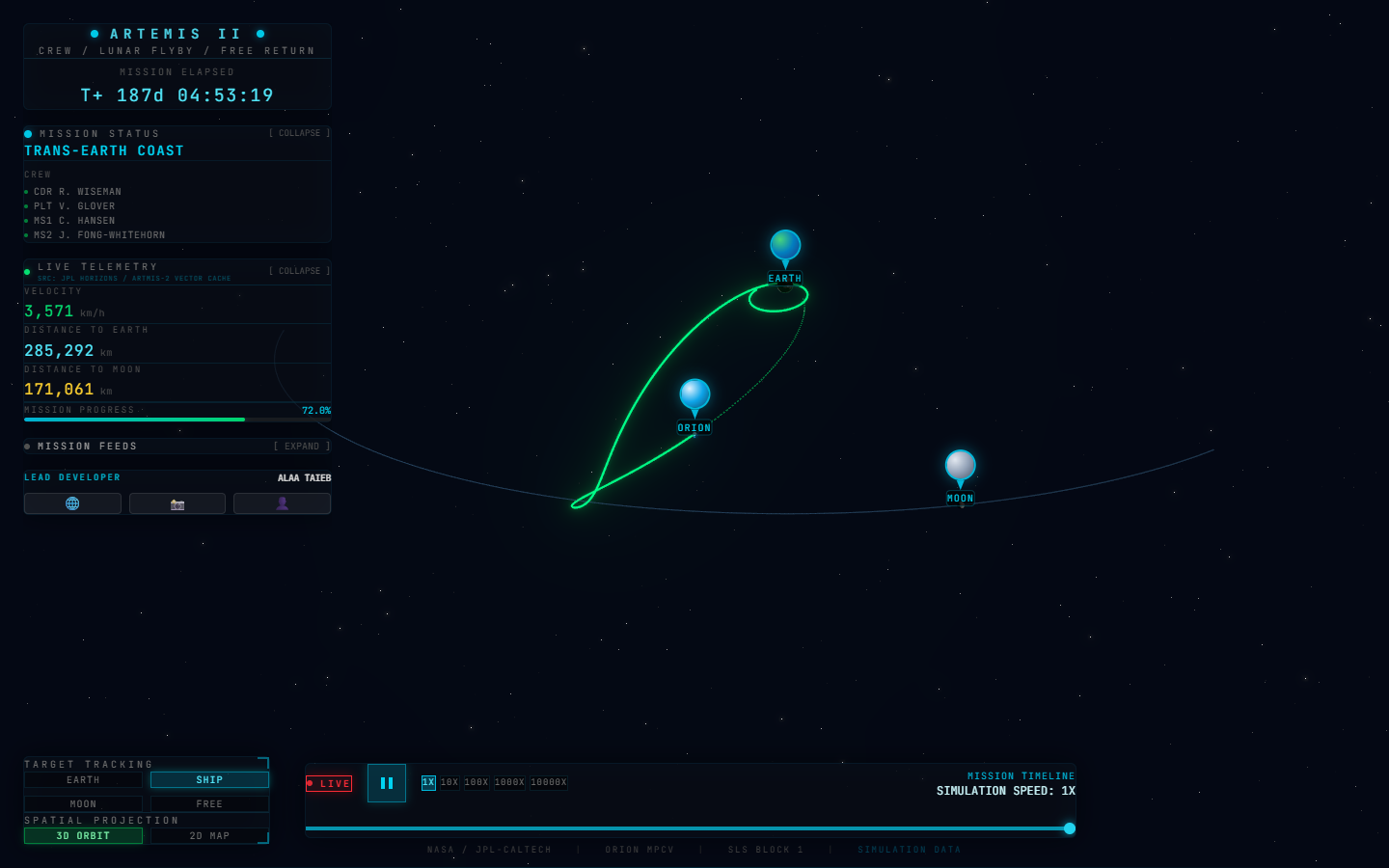
A mission-control view for a short Reel
I built Artemis II Mission Tracker as a one-off project for an Instagram Reel. The idea was to make the mission’s path the center of the screen: Orion travels along a luminous route while Earth, the Moon, and a compact control-room interface give that motion some context.
The main scene shows the spacecraft moving between Earth and the Moon, with its trajectory and the Moon’s orbit drawn around it. A heads-up display adds the mission phase, elapsed time, velocity, distances, and progress. It is designed to read as a visual simulation rather than a general-purpose flight-planning tool.
Make the trajectory explorable
The controls let viewers change the camera target, switch between 3D orbit and 2D map views, pause the timeline, scrub to another point, or speed the simulation up to 10,000×. These controls make the route legible at different scales and give the scene a little more life than a fixed animation.
The displayed positions come from bundled ephemeris data. The app interpolates the stored Orion and Moon vectors as the simulation clock advances; the “LIVE” control syncs that clock to the configured timeline. The page’s live-style telemetry is therefore simulated, not a feed from an operating spacecraft.
Building the scene
I built the interface with Next.js, React, and TypeScript. React Three Fiber and Three.js render the Earth, Moon, Orion, orbit, and trajectory, while Drei and postprocessing add scene controls and glow. Framer Motion brings the heads-up display in, and Tailwind CSS handles its responsive layout and dense readouts.
Keeping the 3D view behind the interface let the project feel like a small mission console, while the timeline and focus controls gave the main visual a clear way to respond. That balance was the useful constraint for a project made specifically to appear in one Reel.